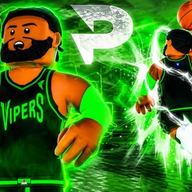
Mastering the Court: A Comprehensive Practical Basketball Gameplay Guide for All Skill Levels
Learn the best animations, dribble combos, and scoring strategies with this Practical Basketball gameplay guide to dominate the court.
Mastering the mechanics of a physics-based sports game requires more than just raw talent; it requires a deep understanding of the engine and the most effective controls. If you are looking to elevate your performance, this Practical Basketball gameplay guide will provide you with the essential animations and settings needed to outplay your opponents. Whether you are a newcomer trying to land your first green or a veteran looking for a new Practical Basketball gameplay guide to refine your 50-game win streak potential, understanding the nuances of "standing" versus "escape" moves is the first step toward greatness.
Essential Settings and Camera Optimization
Before stepping onto the hardwood, you must ensure your technical settings are configured for maximum visibility and responsiveness. Players often overlook the settings menu, but minor adjustments to the Field of View (FOV) and jump shot indicators can drastically change your timing.
According to community reports, setting your jump shot lens to "Always" ensures that you receive visual feedback every time you time a shot perfectly. This is a critical habit for learning new releases. Additionally, sound settings can be a distraction; many top-tier players suggest turning off emote and music volume to focus entirely on the game’s auditory cues.
Recommended Gameplay Settings
The Best Animations: Jump Shots and Dunks
Your choice of animations determines how difficult it is for defenders to block your shots or interrupt your drives. In the current meta, speed and "glitchy" movement are prioritized. Player experience suggests that four specific jump shots stand out above the rest. Rudy Justice is widely considered the gold standard, but Damen Douglas is a highly effective alternative for those who find the timing of Rudy Justice difficult to master.
When it comes to driving dunks, the goal is to equip animations that allow you to jump "through" defenders rather than around them. This reduces the window for a successful block.
Top-Tier Jump Shot Rankings
Mastering Dribble Mechanics and Breakdowns
Dribbling in this game is divided into two distinct categories: Standing moves and Escape moves. This Practical Basketball gameplay guide emphasizes that the difference between the two is entirely dependent on the sprint button. If you are holding the sprint button, you perform an Escape move; if you are not, you perform a Standing move.
Standing moves are vital because they allow you to read the defender's reaction without committing to a long animation that drags you into the paint. Escape moves, on the other hand, are designed to create massive amounts of space or trigger speed boosts.
Core Dribble Move Inputs
Advanced Scoring: Self-Lobs and Euro-Steps
Once you have mastered the art of the crossover, you need to be able to finish at the rim or create your own shot. The self-lob is one of the most effective ways to score when stuck in a 1v1 situation. By holding L1 (LB on Xbox) and flicking the Right Stick, you can toss the ball to yourself and time a dunk. This move is difficult to guard because it changes the verticality of the play instantly.
For players who prefer a more grounded approach, the Euro-step and spin gather are essential. To perform a spin gather, you must release the sprint button while running toward the paint and double-tap the shoot button. This allows you to navigate around defenders who are waiting to block a straight-line drive.
Finishing Moves Comparison
- Euro-Step: Run toward the paint, hold Up on the stick, and tap the shoot button once.
- Spin Gather: Release sprint, double-tap the shoot button during a drive.
- Self-Lob: Hold L1/LB and use the Right Stick to initiate the toss.
- Hop Step: Hold sprint, move the Left Stick to the desired direction, and tap the shoot button.
Building the Ultimate Player
Your build dictates which animations you can equip. For instance, the highly coveted "D-Book" breakdown is restricted to players under 6'8" with a ball handle rating of at least 86. Small Forwards (SF) who are taller than 6'8" should instead opt for Breakdown 2, which provides a similar utility for larger frames.
Community reports highlight several popular builds currently circulating in the stress tests, including "Kyrie" builds for elite handles and "KD" builds for all-around scoring. Regardless of the build, the key is to match your animations to your physical stats.
Build Requirement Table
Tactical Gameplay: Reading the Defense
A major part of any Practical Basketball gameplay guide is the mental aspect of the game. You must watch your defender's feet. If they are playing "high" (close to the three-point line), you should utilize a jab cross to rim run for an easy layup. If they are "baiting" you by walking back and forth, you should act as if you are taking the three-point shot to force them to commit, then drive past them.
Another secret shared by the community involves the shoot button itself. While most players use the standard shoot button, some player reports suggest that using the Triangle (or Y) button can result in a faster release during walk-back scenarios. While this is often a matter of preference, it is a technique worth practicing in the lab to see if it fits your playstyle.
Practical Basketball Gameplay Tips for Success
- Lab Your Hand Switches: Switching the ball between hands can cancel animations and catch defenders off guard.
- Use Misdirection on Idle: Equipping misdirection for your idle crossover allows for an instant speed boost from a stationary position.
- Watch the Stamina Bar: Over-dribbling will drain your stamina, making your jump shot significantly harder to time.
- Master the Walk-Back: When a defender gives you too much space in the paint, stop your sprint, walk back to the three-point line, and shoot. This is often an open shot.
- Strategic Sham Gods: The Sham God move (double-tapping up on the D-pad) is flashy but easy to get bumped out of. Only use it when you have significant space.
Following this Practical Basketball gameplay guide will not make you an elite player overnight, but it provides the mechanical foundation necessary to compete at the highest level. Practice these combos in the training facility before taking them into a 1v1 or 3v3 setting to ensure your muscle memory is sharp.
FAQ: Practical Basketball Gameplay Guide
How do I perform a speed boost in Practical Basketball?
To speed boost, you can use a standing hesitation (hesey) or a breakdown move. By performing a breakdown (Sprint + Up + Right on D-pad) and then immediately driving, your character will receive a significant acceleration increase.
What are the best jump shots for beginners?
According to this Practical Basketball gameplay guide, the best jump shots for beginners are Damen Douglas and Jump Shot 11. They offer more forgiving timing windows compared to professional-tier shots like Rudy Justice.
Can I dunk out of a spin gather?
Yes, you can dunk out of a spin gather. To do this, you must double-tap the shoot button while driving into the paint without holding the sprint button. If your player has a high enough driving dunk rating, the animation will often transition into a dunk.
Why is the D-Book crossover not working for my build?
The "D-Book" (Breakdown 3) requires your player to be under 6'8" and have a ball handle rating of at least 86. If your build does not meet these requirements, you should use Breakdown 2 instead.
Sources
Related Guides
Practical Basketball How to Play: The Ultimate Guide to Dribbling, Shooting, and Settings
Master Practical Basketball on Roblox with our comprehensive guide on how to play, including the best dribble moves, shooting animations, and pro settings.
The Ultimate Practical Basketball Beginner Guide: Mastering the Court and Your Build
Learn the ropes of the game with this comprehensive Practical Basketball beginner guide, covering everything from character builds to fundamental skills.